Website uptime
Scheduled HTTP(S) checks with your own expected status range, keyword rules and User-Agent. Response time and uptime history for 24h, 7d, 30d and 90d.
Uptime Guard watches your websites, API endpoints, SSL certificates and domain expiry dates from your phone — and tells you the second something breaks, then again when it recovers.
Free · Android 8.0 and later · iOS coming soon
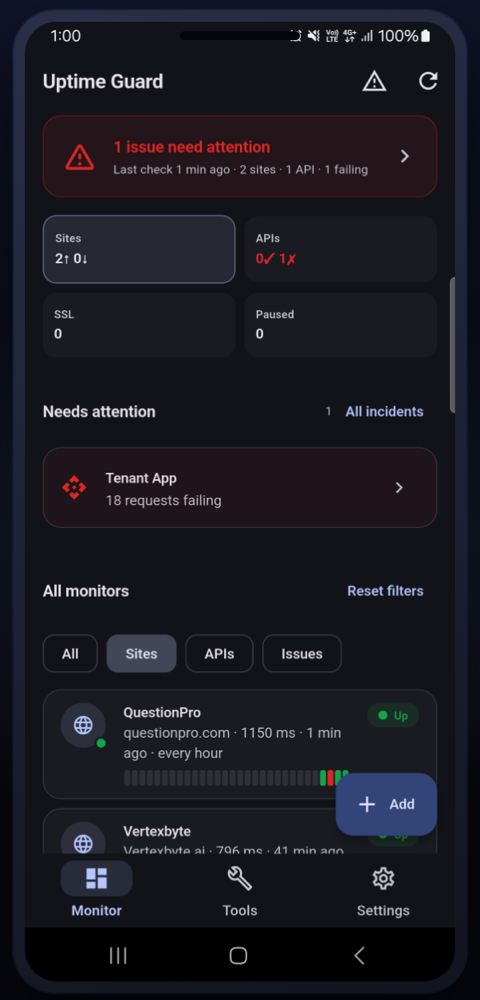
Uptime, APIs, certificates, domains, DNS and mail configuration — checked on a schedule, reported in plain language.
Scheduled HTTP(S) checks with your own expected status range, keyword rules and User-Agent. Response time and uptime history for 24h, 7d, 30d and 90d.
Import a Postman collection or paste a cURL command, fill in your variables, and every request is run on a schedule with per-request pass/fail, status codes and timings.
Mark one request as your login call; the returned token is captured and injected into the rest. Credentials and variables are stored encrypted on device.
Certificate validity is read straight from the host and registration data via public RDAP, with escalating reminders at 30, 14, 7 and 1 days so nothing lapses unnoticed.
An MxToolbox-style report in one tap: DNS and SOA validation, MX, SPF, DMARC and DKIM, blacklist screening across five RBLs, plus web server and TLS reachability.
Local push notifications the moment a monitor goes down or recovers — and, if you want them, the same alerts forwarded to Slack, Discord, Telegram or any webhook.
Test any URL on the spot, look up A, AAAA, CNAME, MX, TXT, NS and SOA records, or run a full health report — without saving anything to your monitors.
Opt in on Android to a foreground service that re-checks every monitor every 1–5 minutes, for genuinely near-real-time alerts when you are mid-incident.
There is no cloud to opt out of. Monitors, history and credentials live in an encrypted database on your device, optionally behind Face ID or a fingerprint.
Built for people who get paged: dense where it matters, quiet the rest of the time.
Sites, APIs and SSL at a glance
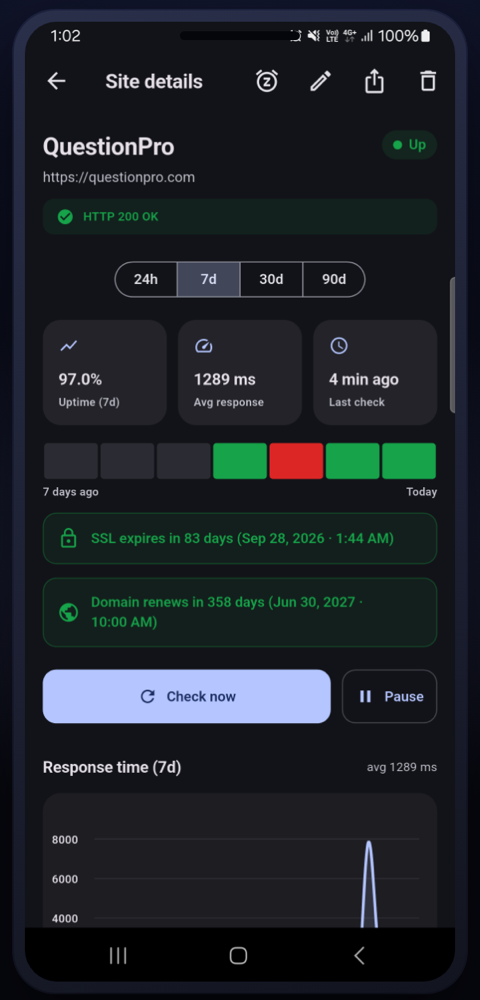
Uptime, latency and expiry in one view
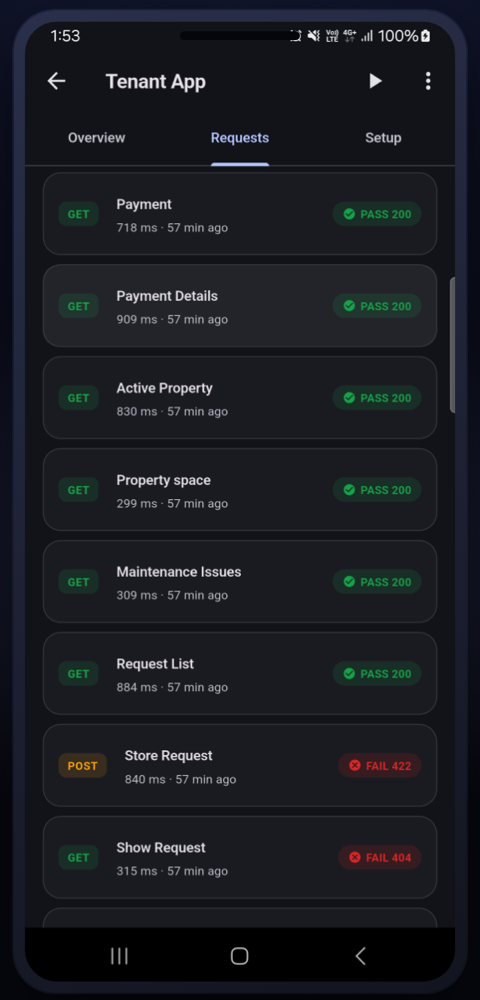
See exactly which call broke
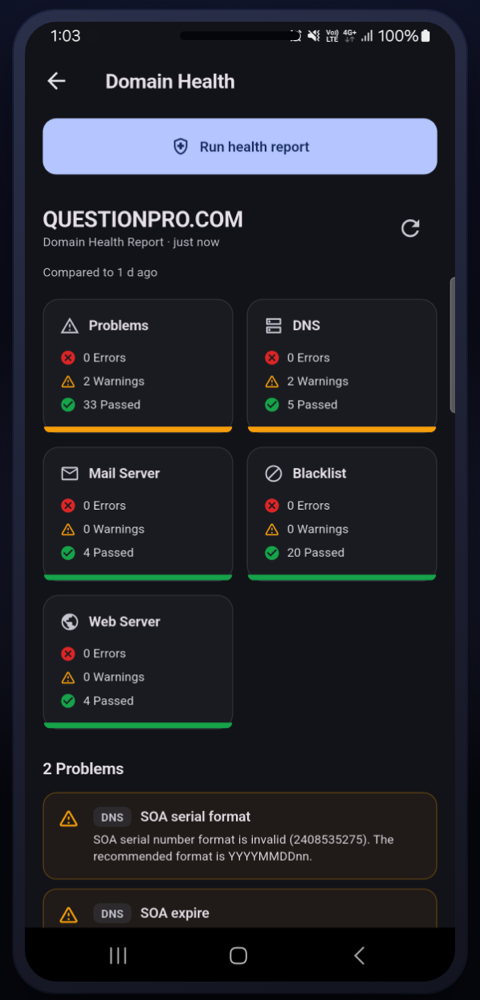
DNS, mail, blacklist and web in one report
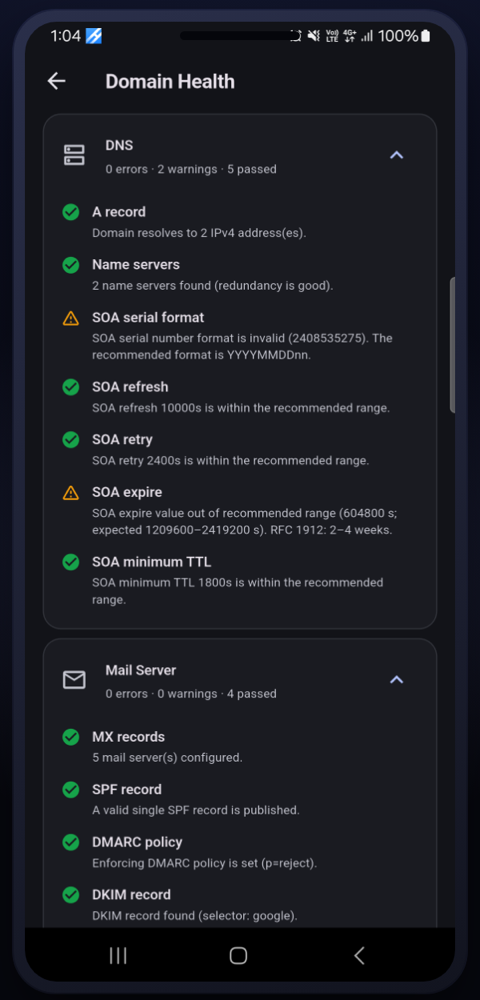
SPF, DMARC, DKIM and SOA validation
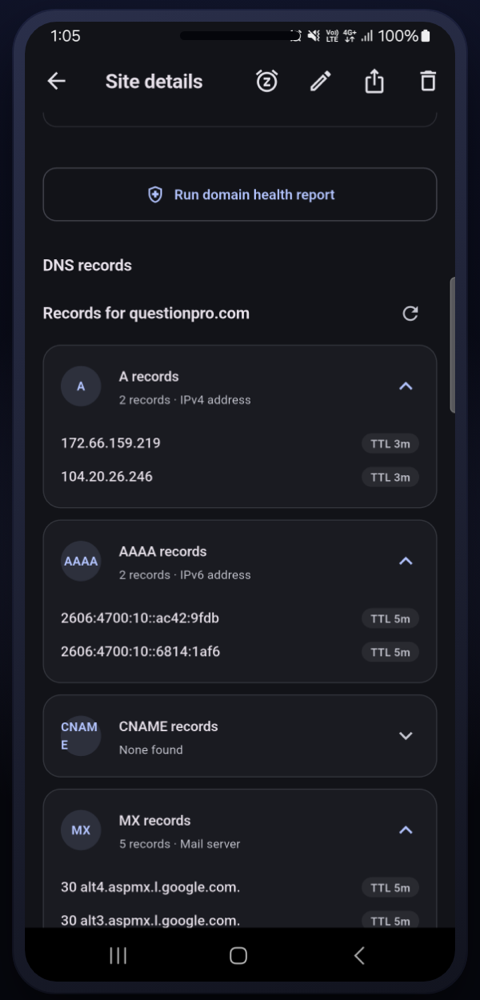
Every record type with its TTL
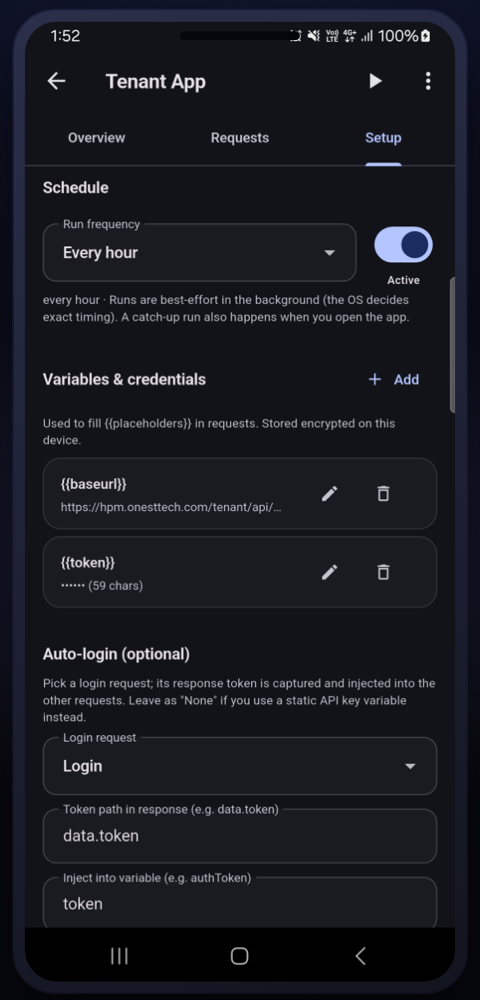
Schedules, encrypted vars, auto-login
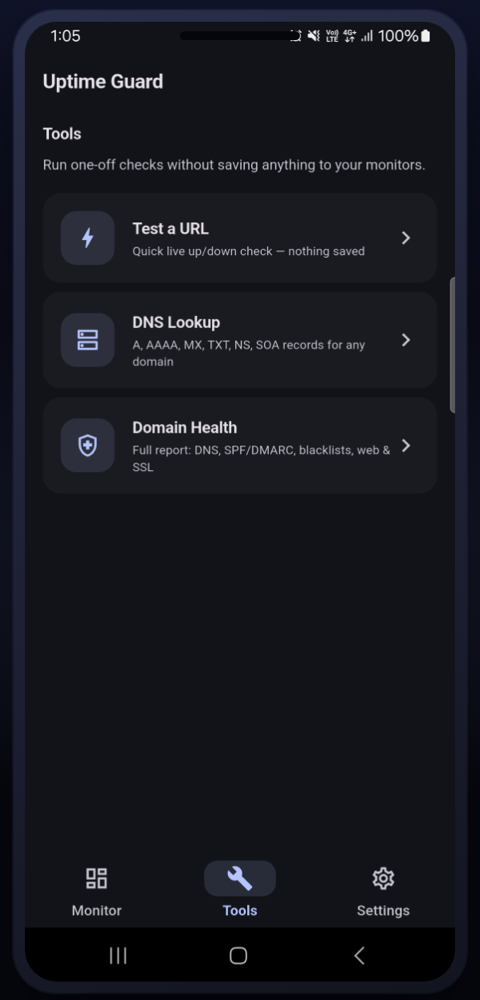
One-off checks, nothing saved
No onboarding, no workspace to configure, no card to enter.
Enter a URL or domain, or import a Postman collection or cURL command for an API. Attach a logo if you like.
Pick the expected status range, an optional keyword that must appear in the response, and how often to check.
Allow notifications and, optionally, point alerts at Slack, Discord, Telegram or a webhook. Then forget about it.
Uptime Guard has no backend. We could not read your monitors, credentials or history if we wanted to — there is nowhere for them to go.
Read the privacy policyMore answers, including troubleshooting, on the support page.
No. There is no sign-up, no login and no cloud backend. Everything lives on your device from the first launch.
Yes, within the limits the operating system allows. Android uses WorkManager with a ~15-minute floor; iOS schedules opportunistic background tasks, so timing is decided by the system. The app always runs a catch-up check when you open it and shows an honest “last checked” timestamp. For near-real-time checks, Android has an opt-in Real-time mode. Guaranteed 24/7 checks with the app closed would require a server — which is exactly what Uptime Guard does not have.
Yes — Slack, Discord, Telegram or any custom webhook. Alerts contain the monitor name, the affected host and the event, and nothing else.
Yes. There is no subscription, no per-monitor pricing and no ads. Because there is no infrastructure behind it, there is nothing to bill for.
The app is built for both platforms and the iOS release is on its way. Android is available on Google Play today.
Free, private, and running in under three minutes.